jQuery in Action – Bear Bibeault, Yehuda Katz, Aurelio de Rosa – 3rd Edition
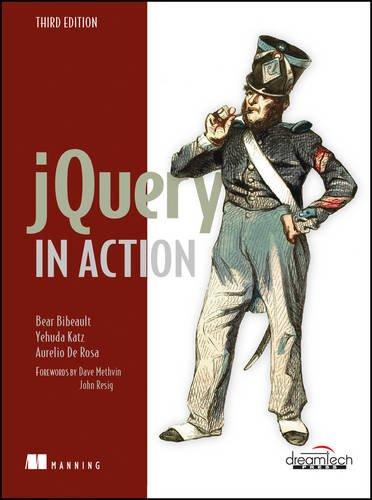
Descripción
jQuery en acción, tercera edición, es una guía rápida para jQuery, centrada en las tareas que enfrentará en casi cualquier proyecto de desarrollo web. En él, aprenderá a atravesar el DOM, manejar eventos, realizar animaciones, escribir complementos de jQuery, realizar solicitudes de Ajax e incluso probar su código en unidades. Sus Lab Pages únicas unen cada concepto en el código del mundo real. Esta Tercera Edición ampliada agrega nuevos capítulos que le enseñan cómo interactuar con otras herramientas y marcos y construir aplicaciones web modernas de una sola página
Part 1 Starting with jQuery
1 Introducing jQuery
1.1 Write less, do more
1.2 Unobtrusive JavaScript
1.3 Installing jQuery
1.4 How jQuery is structured
1.5 jQuery fundamentals
1.6 Summary
Part 2 Core jQuery
2 Selecting elements
2.1 Selecting elements for manipulation
2.2 Basic selectors
2.3 Retrieving elements by their hierarchy
2.4 Selecting elements using attributes
2.5 Introducing filters
2.6 Enhancing performances using context
2.7 Testing your skills with some exercises
2.8 Summary
3 Operating on a jQuery collection
3.1 Generating new HTML
3.2 Managing the jQuery collection
3.3 Summary
4 Working with properties, attributes and data
4.1 Defining element properties and attributes
4.2 Working with attributes
4.3 Manipulating element properties
4.4 Storing custom data on elements
4.5 Summary
5 Bringing pages to life with jQuery
5.1 Changing element styling
5.2 Setting element content
5.3 Dealing with form element values
5.4 Summary
6 Events are where it happens!
6.1 Understanding the browser event models
6.2 The jQuery Event Model
6.3 Summary
7 Demo: DVD discs locator
7.1 Putting events (and more) to work
7.2 Summary
8 Energizing pages with animations and effects
8.1 Showing and hiding elements
8.2 Animating the display state of elements
8.3 Adding more easing functions to jQuery
8.4 Creating custom animations
8.5 Animations and queuing
8.6 Summary
9 Beyond the DOM with jQuery utility functions
9.1 Using the jQuery properties
9.2 Using other libraries with jQuery
9.3 Manipulating JavaScript objects and collections
9.4 Miscellaneous utility functions
9.5 Summary
10 Talk to the server with Ajax
10.1 Brushing up on Ajax
10.2 Loading content into elements
10.3 Making GET and POST requests
10.4 Taking full control of an Ajax request
10.5 Summary
11 Demo: an Ajax-powered contact form
11.1 The features of the project
11.2 Creating the markup
11.3 Implementing the PHP backend
11.4 Field validation using Ajax
11.5 Even more fun with Ajax
11.6 Improving the user experience using effects
11.7 A note on accessibility
11.8 Summary
Part 3 Advanced Topics
12 When jQuery is not enough...plugins to the rescue!
12.1 Why extend jQuery?
12.2 Where to find plugins
12.3 The jQuery plugin authoring guidelines
12.4 Demo: creating a slideshow as a jQuery plugin
12.5 Writing custom utility functions
12.6 Summary
13 Avoiding the callback hell with Deferred
13.1 Introduction to promises
13.2 The Deferred and Promise objects
13.3 The Deferred methods
13.4 Promisifying all the things
13.5 Summary
14 Unit testing with QUnit
14.1 Why is testing important?
14.2 Getting started with QUnit
14.3 Creating tests for synchronous code
14.4 Testing your code using assertions
14.5 How to test asynchronous tasks
14.6 noglobals and notrycatch
14.7 Group your tests in modules
14.8 Configuring QUnit
14.9 An example test suite
14.10 Summary
15 How jQuery fits into large projects
15.1 Improving the performance of your selectors
15.2 Organizing your code into modules
15.3 Loading modules with RequireJS
15.4 Managing dependencies with Bower
15.5 Creating single-page applications with Backbone.js
15.6 Summary
15.7 The end
Appendix JavaScript that you need to know but might not!
Index
Consulta los datos bibliográficos de esta edición para identificar correctamente el recurso, revisar su autoría y verificar detalles como ISBN, tema, subtema, archivo e idioma.
- Título: jQuery in Action
- Autor/es: Bear Bibeault | Aurelio de Rosa | Yehuda Katz
- Edición: 3ra Edición
- Año de publicación: 2015
- Tipo de archivo: eBook
- Idioma: eBook en Inglés
- Editorial: Manning Publications Company
- Páginas: 504
- ISBN-10: 1617292079
- ISBN-13: 9781617292071
- Subtema: Programación en JavaScript
Citar este libro
Preparando citaciones...





Aún no hay comentarios
Sé el primero en compartir tu opinión sobre este contenido.
Escribir un comentario