Let Us C – Yashavant P. Kanetkar – 5th Edition
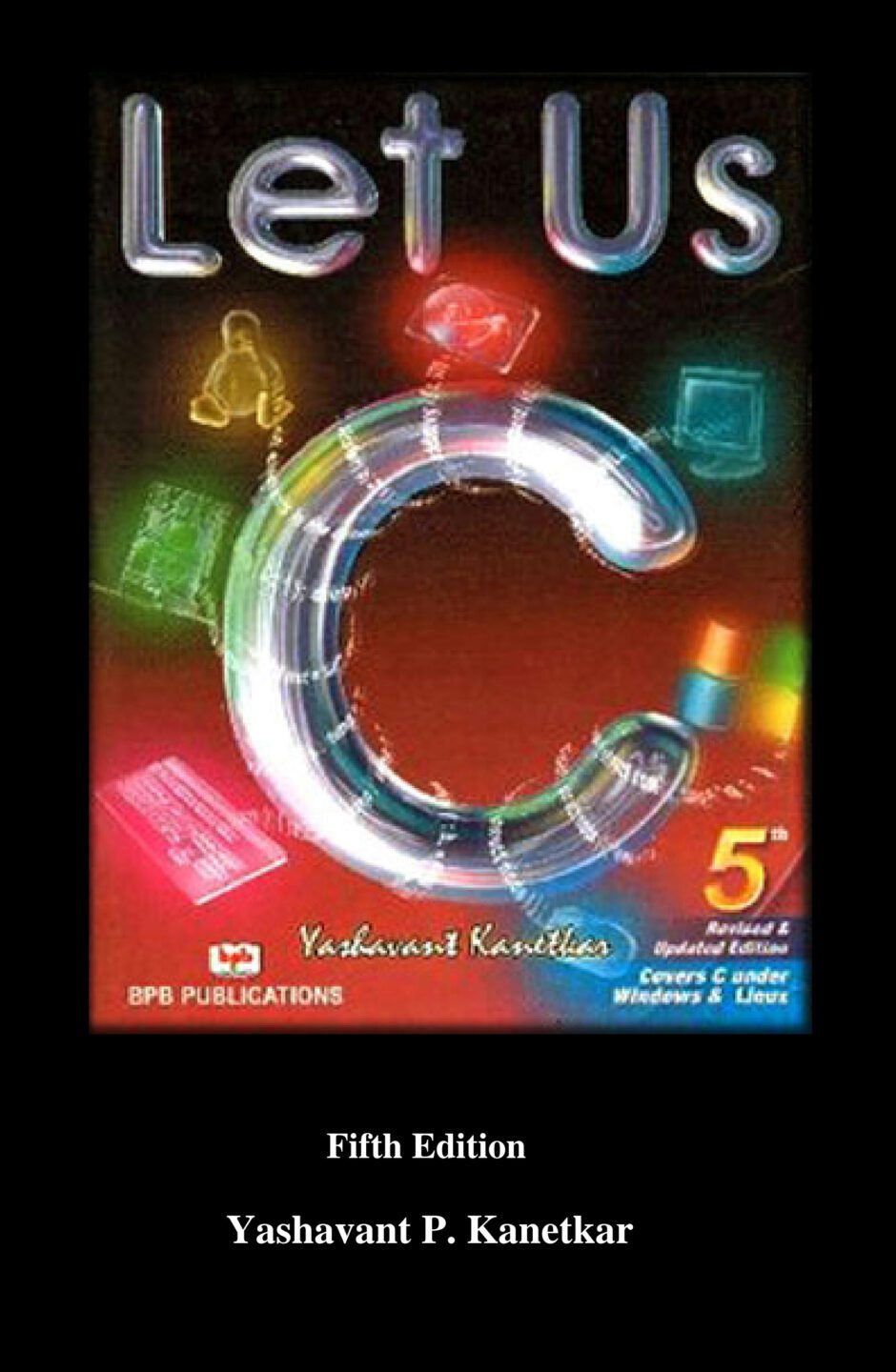
Descripción
Guía accesible y metódica pensada para quienes inician su aprendizaje de programación en C, diseñada con un enfoque en claridad pedagógica y aplicación práctica. Cada capítulo avanza gradualmente, empezando por los fundamentos del lenguaje tipos de datos, operadores, control de flujo, funciones y arrays y progresando hacia conceptos más complejos como punteros, estructuras, manejo de memoria dinámica y archivos. Yashavant P. Kanetkar emplea un estilo cercano y motivador, combinando explicaciones claras con ejemplos completos y comentados que ilustran cómo desarrollar pequeños programas útiles. Incluye cientos de ejercicios propuestos organizados por nivel de dificultad, lo que favorece tanto el autoaprendizaje como su uso en cursos formales. Además, muchos ejemplos están directamente vinculados a aplicaciones reales, lo que ayuda al lector a contextualizar el uso de C en el desarrollo de software, control de sistemas y programación de bajo nivel.
Especial atención se presta a la depuración, buenas prácticas de codificación y errores comunes, ofreciendo consejos para evitar fallos frecuentes y mejorar la calidad del código. Ideal tanto para estudiantes de ciencias de la computación, ingeniería o sistemas, como para programadores autodidactas que quieran consolidar una base sólida en uno de los lenguajes más versátiles y eficientes de la historia de la informática. Más que un manual técnico, esta quinta edición propone un camino formativo para pensar como desarrollador C, no solo dominar la sintaxis, sino también entender la lógica, la gestión de recursos y la optimización necesaria en entornos de programación profesional y embebida.
1. Getting Started
What is C
Getting Started with C
The C Character Set
Constants, Variables and Keywords
Types of C Constants
Rules for Constructing Integer Constants
Rules for Constructing Real Constants
Rules for Constructing Character Constants
Types of C Variables
Rules for Constructing Variable Names
C Keywords
The First C Program
Compilation and Execution
Receiving Input
C Instructions
Type Declaration Instruction
Arithmetic Instruction
Integer and Float Conversions
Type Conversion in Assignments
Hierarchy of Operations
Associativity of Operators
Control Instructions in C
Summary
Exercise
2. The Decision Control Structure
Decisions! Decisions!
The if Statement
The Real Thing
Multiple Statements within if
The if-else Statement
Nested if-elses
Forms of if
Use of Logical Operators
The else if Clause
The ! Operator
Hierarchy of Operators Revisited
A Word of Caution
The Conditional Operators
Summary
Exercise
3. The Loop Control Structure
Loops
The while Loop
Tips and Traps
More Operators
The for Loop
Nesting of Loops
Multiple Initialisations in the for Loop
The Odd Loop
The break Statement
The continue Statement
The do-while Loop
Summary
Exercise
4. The Case Control Structure
Decisions Using switch
The Tips and Traps
switch Versus if-else Ladder
The goto Keyword
Summary
Exercise
5. Functions & Pointers
What is a Function
Why Use Functions
Passing Values between Functions
Scope Rule of Functions
Calling Convention
One Dicey Issue
Advanced Features of Functions
Function Declaration and Prototypes
Call by Value and Call by Reference
An Introduction to Pointers
Pointer Notation
Back to Function Calls
Conclusions
Recursion
Recursion and Stack
Adding Functions to the Library
Summary
Exercise
6. Data Types Revisited
Integers, long and short
Integers, signed and unsigned
Chars, signed and unsigned
Floats and Doubles
A Few More Issues
Storage Classes in C
o Automatic Storage Class
o Register Storage Class
o Static Storage Class
o External Storage Class
Which to Use When
Summary
Exercise
7. The C Preprocessor
Features of C Preprocessor
Macro Expansion
Macros with Arguments
Macros versus Functions
File Inclusion
Conditional Compilation
#if and #elif Directives
Miscellaneous Directives
#undef Directive
#pragma Directive
Summary
Exercise
8. Arrays
What are Arrays
A Simple Program Using Array
More on Arrays
Array Initialization
Bounds Checking
Passing Array Elements to a Function
Pointers and Arrays
Passing an Entire Array to a Function
The Real Thing
Two Dimensional Arrays
Initializing a 2-Dimensional Array
Memory Map of a 2-Dimensional Array
Pointers and 2-Dimensional Arrays
Pointer to an Array
Passing 2-D array to a Function
Array of Pointers
Three Dimensional Array
Summary
Exercise
9. Puppetting On Strings
What are Strings
More about Strings
Pointers and Strings
Standard Library String Functions
o strlen( )
o strcpy( )
o strcat( )
o strcmp( )
Two-Dimensional Array of Characters
Array of Pointers to Strings
Limitation of Array of Pointers to Strings
Solution
Summary
Exercise
10. Structures
Why Use Structures
Declaring a Structure
Accessing Structure Elements
How Structure Elements are Stored
Array of Structures
Additional Features of Structures
Uses of Structures
Summary
Exercise
11. Console Input/Output
Types of I/O
Console I/O Functions
Formatted Console I/O Functions
o sprintf( ) and sscanf( )
Unformatted Console I/O Functions
Summary
Exercise
12. File Input/Output
Data Organization
File Operations
Opening a File
Reading from a File
Trouble in Opening a File
Closing the File
Counting Characters, Tabs, Spaces
A File-copy Program
Writing to a File
File Opening Modes
String (line) I/O in Files
The Awkward Newline
Record I/O in Files
Text Files and Binary Files
Record I/O Revisited
Database Management
Low Level Disk I/O
A Low Level File-copy Program
I/O Under Windows
Summary
Exercise
13. More Issues In Input/Output
Using argc and argv
Detecting Errors in Reading/Writing
Standard I/O Devices
I/O Redirection
o Redirecting the Output
o Redirecting the Input
o Both Ways at Once
Summary
Exercise
14. Operations On Bits
Bitwise Operators
Ones Complement Operator
Right Shift Operator
Left Shift Operator
Bitwise AND Operator
Bitwise OR Operator
Bitwise XOR Operator
The showbits( ) Function
Summary
Exercise
15. Miscellaneous Features
Enumerated Data Type
Uses of Enumerated Data Type
Renaming Data Types with typedef
Typecasting
Bit Fields
Pointers to Functions
Functions Returning Pointers
Functions with Variable Number of Arguments
Unions
Union of Structures
Summary
Exercise
16. C Under Windows
Which Windows
Integers
The Use of typedef
Pointers in the 32-bit World
Memory Management
Device Access
DOS Programming Model
Windows Programming Model
Event Driven Model
Windows Programming, a Closer Look
The First Windows Program
Hungarian Notation
Summary
Exercise
17. Windows Programming
The Role of a Message Box
Here Comes the window
More Windows
A Real-World Window
Creation and Displaying of Window
Interaction with Window
Reacting to Messages
Program Instances
Summary
Exercise
18. Graphics Under Windows
Graphics as of Now
Device Independent Drawing
Hello Windows
Drawing Shapes
Types of Pens
Types of Brushes
Code and Resources
Freehand Drawing, the Paintbrush Style
Capturing the Mouse
Device Context, a Closer Look
Displaying a Bitmap
Animation at Work
WM_CREATE and OnCreate( )
WM_TIMER and OnTimer( )
A Few More Points
Windows, the Endless World
Summary
Exercise
19. Interaction With Hardware
Hardware Interaction
Hardware Interaction, DOS Perspective
Hardware Interaction, Windows Perspective
Communication with Storage Devices
The ReadSector( ) Function
Accessing Other Storage Devices
Communication with Keyboard
Dynamic Linking
Windows Hooks
Caps Locked, Permanently
Did You Press It Twice
Mangling Keys
KeyLogger
Where is This Leading
Summary
Exercise
20. C Under Linux
What is Linux
C Programming Under Linux
The Hello Linux Program
Processes
Parent and Child Processes
More Processes
Zombies and Orphans
One Interesting Fact
Summary
Exercise
21. More Linux Programming
Communication using Signals
Handling Multiple Signals
Registering a Common Handler
Blocking Signals
Event Driven Programming
Where Do You Go From Here
Summary
Exercise
Appendices
Appendix A Precedence Table
Appendix B Standard Library Functions
Appendix C Chasing the Bugs
Appendix D Hexadecimal Numbering
Appendix E ASCII Chart
Appendix F Helper.h File
Appendix G Boot Parameters
Appendix H Linux Installation
Index
Consulta los datos bibliográficos de esta edición para identificar correctamente el recurso, revisar su autoría y verificar detalles como ISBN, tema, subtema, archivo e idioma.
Haz clic en la pestaña de detalles para cargar la información de la edición.
Citar este libro
Preparando citaciones...


Aún no hay comentarios
Sé el primero en compartir tu opinión sobre este contenido.
Escribir un comentario